Teltonika FM5300 Manual
Manual for connecting the Teltonika FM5300 GPS tracker to the application
Floomli GPS supports the Teltonika FM5300 tracker using the Teltonika AVL (TCP) protocol with IMEI-based authentication.
Set up the Teltonika FM5300 GPS tracker according to the instructions below to use the our GPS Server and application.
Choose APN settings for your GPS device and SIM (optional)
Settings for GPS device configuration
Set the following data in the device configuration :
APN: appropriate for your SIM operator
Server: server1.floomligps.com
Port: 5027
Platform: Floomli GPS
Authentication: IMEI
Remote configuration via SMS
Send a message to the phone number on the device:
" setparam 2004:3.72.160.21;2005:10000;112:3;113:1;2025:0"
The command must start with two spaces; quotation marks are not part of the content. Field 2001 is your SIM APN; keep server 3.72.160.21 and port 10000 unchanged.
The device will send back an SMS confirming the configuration.
The device should be connected at the time of configuration.
SIM card should be active and have internet data plan.
SIM card should have PIN code disabled.
How to add and connect a device?
Sign in to the FloomliGPS app, add your device IMEI, then set the SIM APN plus server 3.72.160.21 with port 10000 (setparam command). After a few minutes you should see live and historical positions.

Your account
Create an account to access the mobile app.

Add a vehicle in the application
Add your GPS device in the application on phone or computer. Enter the device name and IMEI number. Once the device is configured, it will send its position to our GPS platform.

Configure your device
Configure your GPS device according to the manufacturer's instructions by setting the above APN, Server, and Port values.
Access from mobile app
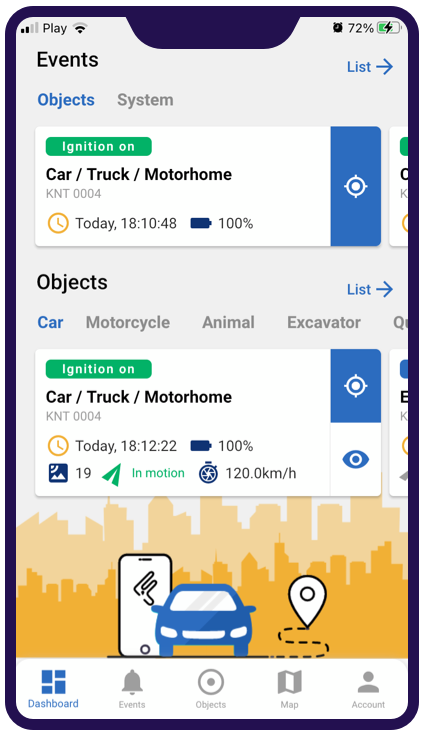
Monitor object parameters
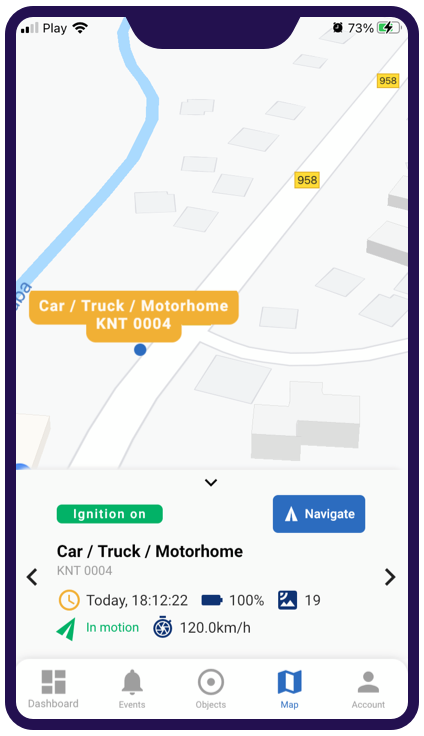
Find objects position on map